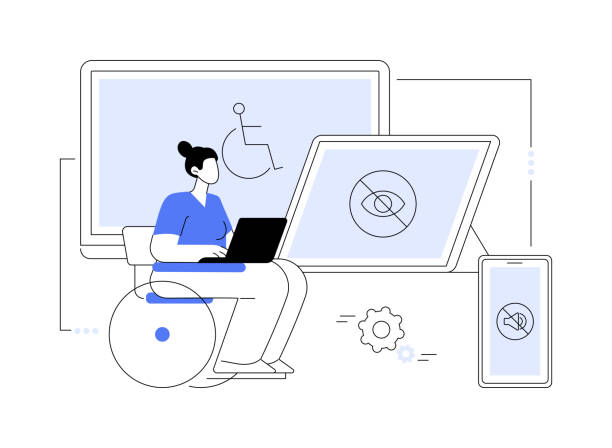
A visually appealing website is no longer enough. Since the Americans with Disabilities Act (ADA) was enacted, businesses have been expected to make their online presence usable by everyone, including people with disabilities. Understanding the ADA and website accessibility helps organizations see why design choices affect real people and legal standing alike. This guide explains what the law covers, which standards apply, and how to find and fix barriers on a site.
What the Americans With Disabilities Act Requires
The ADA, enacted in 1990, is a civil rights law that prohibits discrimination against individuals with disabilities and ensures their access to public services and opportunities. It includes five titles covering employment, public entities, public accommodations, telecommunications, and miscellaneous provisions. Title III, which focuses on public accommodations, became especially significant online, as its reach expanded over time to include websites. That means a business website should work for people with hearing loss, mobility impairments, cognitive disabilities, vision impairment, and other challenges. Within ADA and website accessibility, the work covers designing, developing, and maintaining a site while removing barriers that keep people from reaching online services, goods, and information.
WCAG: The Accepted Technical Standard
The ADA itself does not provide a technical guideline. Instead, the Web Content Accessibility Guidelines (WCAG), created by the World Wide Web Consortium (W3C), are widely accepted as the benchmark for ADA website accessibility. WCAG has three conformance levels. Level A is the minimum and addresses fundamental issues. Level AA is mid-range and resolves most barriers affecting many users, which is why most organizations opt for it. Level AAA is the highest and seeks to address all user accessibility barriers. Four principles guide the guidelines: Perceivable, Operable, Understandable, and Robust, often shortened to POUR.
What the Four Principles Look Like in Practice
Perceivable content can be experienced by all users. Images and videos need descriptive alt text or captions so people using screen readers or those who are hearing impaired can still access them. Operable means a site works for people who cannot use a mouse, so every function should be available through keyboard controls. Understandable content uses simple language and avoids jargon, which helps people with cognitive disabilities. Robust means the site works well with assistive technologies such as screen readers and voice navigation tools.
How to Find Accessibility Problems on Your Site
Start with automated testing for ADA and website accessibility. Tools such as WAVE, Axe Accessibility Checker, Lighthouse, and Siteimprove scan a site and list issues, and many are free. Automated tools cannot replace a hands-on review, though.
Manual testing lets you experience the site the way someone with a disability might. Try moving through the site using only the Tab key, filling out forms, and opening links without a mouse. Then try a screen reader such as NVDA for Windows or VoiceOver for Mac and listen for whether links and buttons are properly labeled. Also check that videos have captions and that text contrasts well with its background.
Feedback from users with disabilities is also valuable, since real experiences highlight problems others may not notice.
When to Involve Legal Guidance
Relying solely on a web designer does not guarantee compliance, because the regulations can be complex. An ADA attorney for website accessibility can audit an existing site, identify gaps ranging from image alt text to keyboard navigation, and recommend an action plan aligned with ADA and WCAG standards. Legal guidance can also include documentation of accessibility features and training so teams can keep new content accessible over time.
Conclusion
Remember that a website that works for everyone is both good practice and a legal consideration. Legal teams such as Zemel Law help organizations review these areas and reduce risk. Organizations that understand the ADA, follow WCAG, test regularly, and seek expert guidance are better positioned to serve all visitors.